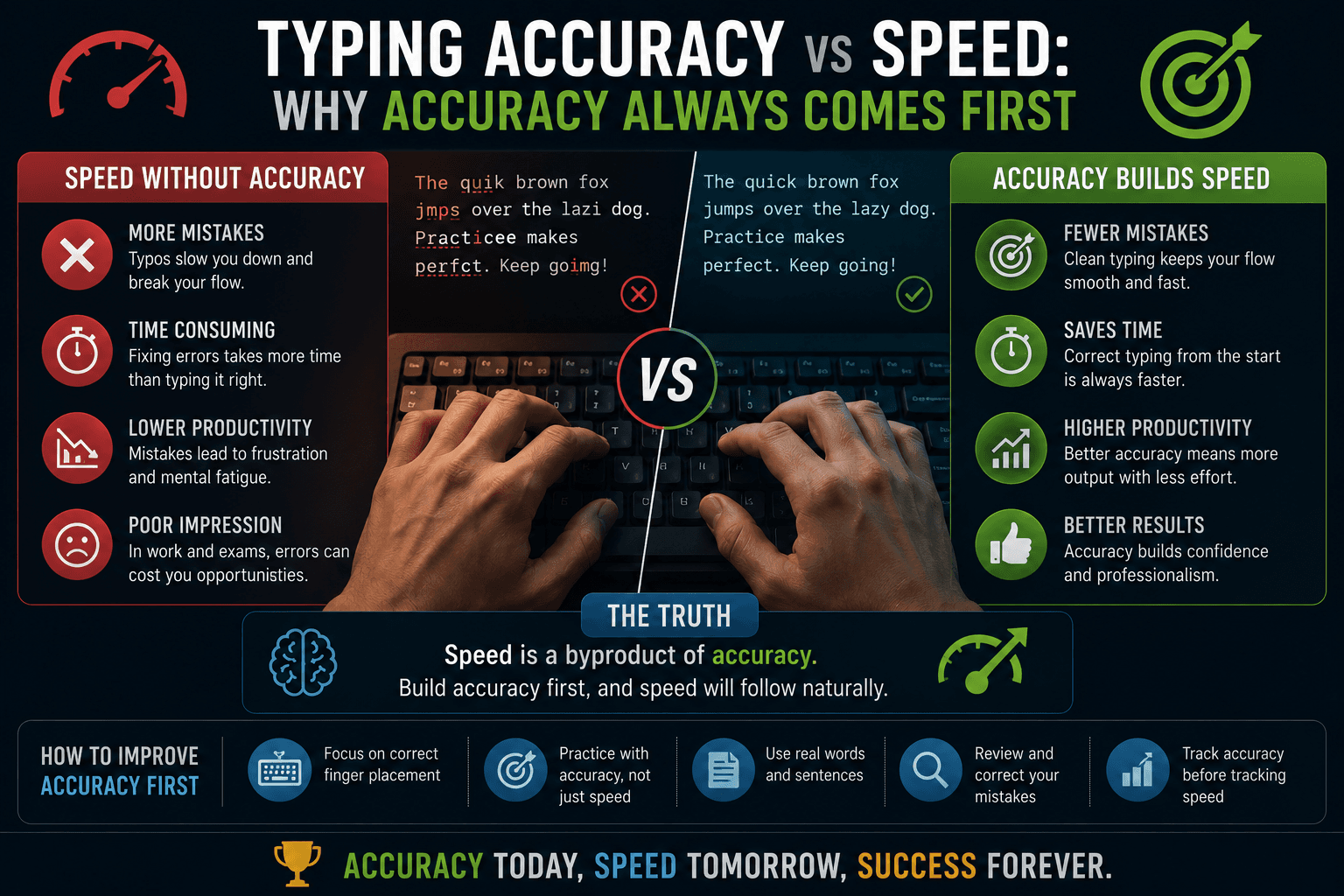
The counterintuitive truth about speed improvement
Most people assume that getting faster at typing means focusing on speed — pushing yourself to type more words per minute in each session. The evidence from professional typing instruction, motor learning research, and competitive typing communities consistently points to the opposite conclusion: the fastest typists got there by relentlessly prioritising accuracy first, and speed came as a byproduct. This is counterintuitive enough that it is worth explaining the mechanism in detail.
When you type a keystroke correctly, your motor system reinforces the neural pathway that produced that movement. When you type a keystroke incorrectly, your motor system reinforces a slightly different pathway — the wrong one. If you consistently rush and make errors, you are literally practicing the incorrect movements. At a neurological level, error correction requires not just learning the right pathway but also suppressing the wrong one that was reinforced. This suppression process takes additional practice time and is why bad habits are harder to fix than never forming them.
What 95% accuracy actually means in practice
A 95% accuracy score sounds very high, but in a five-minute test it means approximately one error in every twenty characters typed. At 60 WPM that is roughly 18 errors in the full test (60 WPM × 5 minutes × 5 characters per word × 5% error rate ≈ 75 errors at 95%; actual figures vary by formula). Many of those errors require correction, which costs additional keystrokes and time. A typist at 70 WPM with 90% accuracy has a lower effective output than a typist at 60 WPM with 98% accuracy in most real-world writing contexts, because the 70/90% typist spends significant time fixing errors.
The practical threshold for 'good enough accuracy' varies by use case. Casual communication can tolerate 90–92% accuracy because autocorrect and revision are expected. Employment typing tests that measure net WPM typically penalize anything below 95%. Medical and legal transcription require 98–99%+ accuracy. Know your target before you set your practice parameters.
Why accuracy-first produces faster long-term speed growth
The mechanism is this: when you hold accuracy at 95%+ while gradually increasing speed, you are laying down clean, correct neural pathways. Once a movement pattern is clean and consistent, your nervous system can speed it up through a process called automatisation — the movement becomes faster without becoming less accurate because the correct pattern is deeply embedded. This is why experienced typists describe fast typing as feeling automatic: the movements are literally being executed by a lower-level, faster neural processing system (procedural memory) rather than conscious attention.
When you chase speed before accuracy is solid, you end up with a collection of partially-correct pathways that your brain has to consciously monitor to execute. This conscious monitoring is slower and more error-prone than procedural execution. The ceiling of consciously-monitored typing is much lower than the ceiling of automatic typing. You cannot automate a process that is inconsistently executed.
Practical exercises for improving accuracy
The most direct accuracy drill is deliberate slow typing. Set a deliberately slow pace — perhaps 70% of your current WPM — and enforce 100% accuracy with no errors allowed. If you make an error, stop, identify which finger made it, think about the correct movement, and retype the word correctly before continuing. This is uncomfortable and slow, but it is the most direct way to identify and correct bad habits at the source.
A second technique is to identify your most common error characters from test results and create focused drills for those specific keys. If you consistently mis-hit 'b' or 'y' — common trouble spots for QWERTY typists — spend five minutes per session repeating words that contain those characters in varied contexts. TypingMonk's Very Hard difficulty naturally surfaces unusual characters and uncommon combinations that expose specific weaknesses.
How to measure the accuracy-speed balance
Track both WPM and accuracy in every test session and plot them together. The healthy pattern is accuracy staying stable or improving as WPM gradually increases. The warning pattern is accuracy declining as you push for higher WPM — this signals that you are trying to execute movements faster than they are solidly encoded, reinforcing sloppy patterns.
TypingMonk shows both metrics at the end of every test. The Dashboard saves both over time, so you can see whether your accuracy has been stable over the past month. If your average accuracy has drifted from 96% down to 91%, that is a clear signal to back off on speed and spend the next two weeks at a slower pace with strict accuracy focus before attempting to push WPM again.
The error counting modes and what they reveal
'Include Fixed' mode counts every error made, even those you corrected before submitting the word. This measures your raw stroke-level accuracy — how often your fingers land on the wrong key on the first attempt. 'Final Only' mode counts only errors that remain at the end of the test — measuring the accuracy of your output after correction. Both measures are useful.
'Include Fixed' is more valuable for technique training because it shows you whether your motor program is clean, regardless of whether backspace bails you out. A high 'Include Fixed' error rate with a good 'Final Only' rate means you are catching your errors but producing them frequently — the underlying technique needs work even though your output looks acceptable. For employment test preparation, practice with the mode that matches how the employer's test counts errors, as specified in the job description or on the test platform.
Put it into practice
Take a free typing test and see your WPM right now.
Comments
Sign in to leave a comment.