Why typing speed matters more than ever
In a world where remote work, digital communication, and software-driven workflows dominate, typing is no longer just an office skill — it is a productivity multiplier. A typist who averages 35 WPM produces the same typed output in 60 minutes that a 70 WPM typist finishes in 30 minutes. Over an eight-hour workday, that gap compounds into hours of recovered time every week. Whether you are applying for a data entry role, drafting reports, writing code, or simply responding to emails, faster and more accurate typing means more energy left for thinking rather than transcribing.
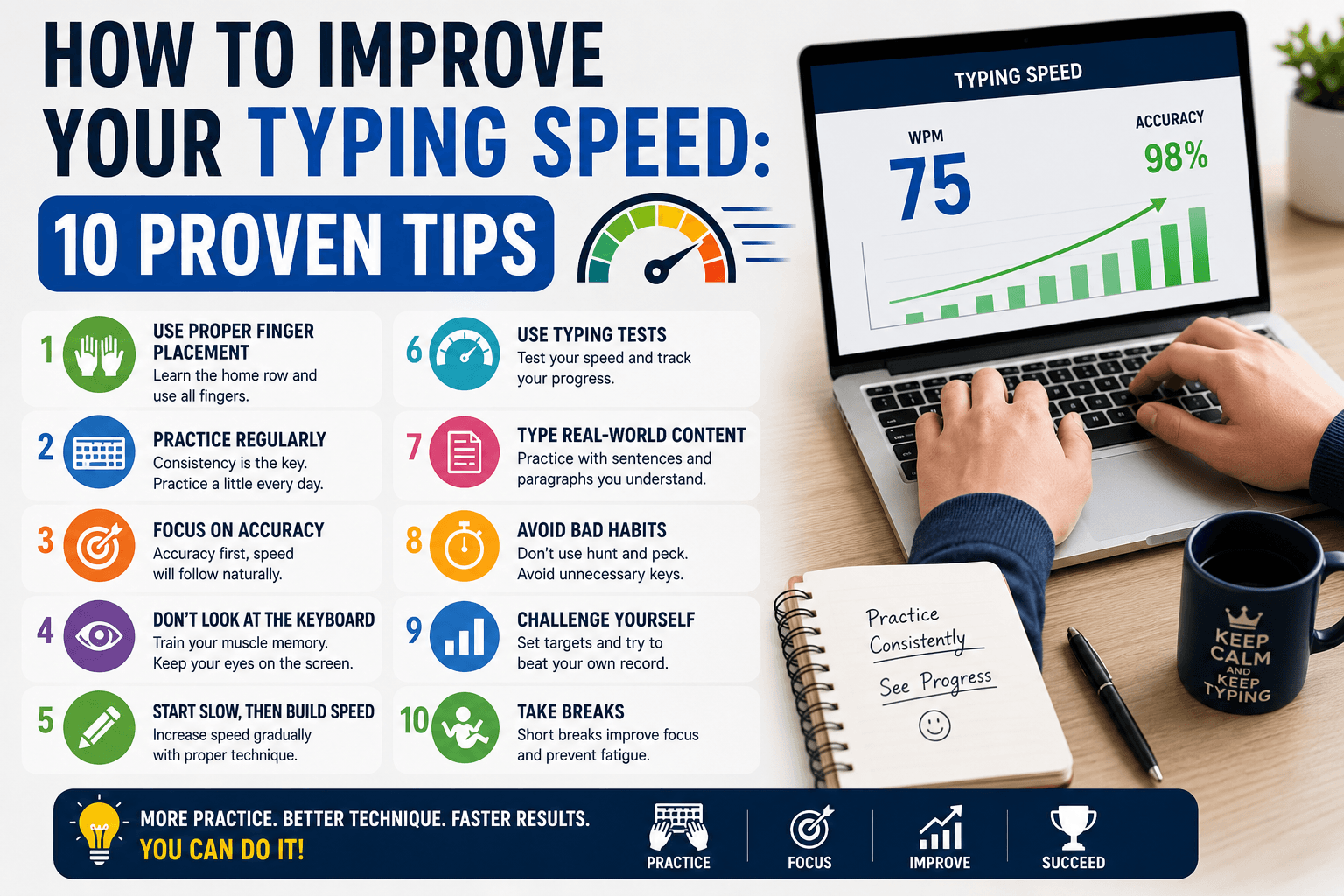
The good news is that typing speed responds exceptionally well to structured practice. Unlike many cognitive skills that plateau quickly, WPM continues to grow with deliberate effort well into the 80–100 WPM range for most adults. This guide covers ten strategies backed by evidence from professional typists and occupational researchers. Each tip can be applied immediately using a free typing test like TypingMonk — no equipment purchase required.
1. Practice in short, daily sessions
Motor learning research consistently shows that short, frequent practice beats infrequent marathon sessions. When you practice the same physical skill daily, your nervous system consolidates the patterns overnight during sleep — a process called motor memory consolidation. Aim for 10–20 minutes of focused typing practice most days rather than a two-hour session once a week. Use a 1-minute or 3-minute test for quick morning warm-ups, and a 5-minute test when you have a full session available.
Tracking a streak — the number of consecutive days you practice — is a surprisingly powerful motivator. Even a commitment to just one 1-minute typing test per day keeps your muscle memory sharp and builds forward momentum. TypingMonk's Dashboard automatically records every test result so you can see your streak and WPM trend without any manual logging.
2. Prioritize accuracy before chasing speed
This is the single tip that separates typists who plateau at 45 WPM from those who reach 80 WPM. When you rush and allow errors to go uncorrected, your fingers learn the wrong patterns. Neural pathways do not distinguish between correct and incorrect keystrokes — they simply reinforce whatever movement you repeat most often. Correcting a bad habit later requires more practice than building the right habit in the first place.
Set a floor of 95% accuracy and hold it. If your accuracy falls below that threshold, slow down until it recovers, then gradually increase your pace. In TypingMonk you can choose 'Include Fixed' error counting to see your true raw accuracy, or 'Final Only' to count only errors you leave uncorrected at the end. For technique training, 'Include Fixed' gives you the most honest picture of your stroke-level accuracy.
3. Learn touch typing and the home row
Touch typing — placing all ten fingers on a fixed key map and typing without looking at the keyboard — is the foundation of high speed. The home row (ASDF on the left, JKL; on the right) is the resting position from which each finger reaches its assigned keys. The F and J keys have raised bumps so your index fingers can re-anchor without looking. When you rely on touch typing, your eyes stay on the screen, your brain processes text faster, and your fingers move on autopilot.
Many self-taught typists use a modified hunt-and-peck system that feels fast at 40–50 WPM but creates a hard ceiling. The initial slowdown when switching to touch typing usually lasts two to four weeks. After that, speed climbs past your old ceiling. The TypingMonk tutorial walks you through the keyboard in structured chapters, starting with the home row and adding new keys gradually so you never feel overwhelmed.
4. Target your personal weak keys
Every typist has a handful of keys or key combinations that cause hesitation or errors — the letter 'b' reached by the wrong finger, the shift key triggered too early, or the word 'the' mis-keyed as 'teh'. These specific bottlenecks account for a disproportionate share of speed loss. Identify yours by running several tests and noting which characters are highlighted red most frequently.
Once you know your weak spots, drill them directly. You can use the Hard or Very Hard difficulty on TypingMonk to expose yourself to less-common vocabulary that surfaces unusual letter combinations. Some typists write out their problem words ten times on paper or in a text editor before running a formal test, which locks in the correct motor pattern before measurement pressure kicks in.
5. Choose the right test length for your goal
Test length shapes what you are actually measuring. A 1-minute typing test measures peak burst speed — useful for a quick check or a warm-up but not representative of sustained performance. A 5-minute test captures your cruising speed after the initial adrenaline settles, which is closer to what employers measure and to real-world typing. A 15- or 30-minute test measures typing endurance and consistency under fatigue.
For most practice sessions, the 3-minute test offers the best balance between time investment and data quality. Run it three to five times in a row, discarding outliers, and take the median as your current benchmark. Compare it to the WPM chart to see where you stand relative to typical benchmarks for your profession or study level.
6. Use appropriate difficulty levels
Difficulty level controls vocabulary complexity. Easy paragraphs use common, short words that most touch typists can execute with minimal finger travel. Very Hard introduces technical vocabulary, compound words, and rare letter sequences that challenge even experienced typists. Using only Easy difficulty creates a comfortable but ineffective practice loop; staying exclusively on Very Hard can be demoralising and counterproductive.
A productive approach: warm up on Easy for one or two minutes, do your main practice on Medium or Hard to build real-world capability, then challenge yourself on Very Hard occasionally to expose weaknesses. The goal is to stay in a zone where you are making occasional errors — enough to force attention — but not so many that accuracy craters below 90%.
7. Manage your workstation ergonomics
Physical discomfort directly limits speed. If your wrists are bent upward, your shoulders are hunched, or your chair is too low, your fingers cannot execute fast strokes consistently and fatigue sets in early. Proper typing posture means your elbows are roughly at 90 degrees, your forearms are parallel to the floor or slightly angled down, your wrists float just above the keyboard rather than resting on it while typing, and your screen is at eye level.
Wrist rests are useful between typing bursts but should not be contacted while actively typing — pressing your wrists down during keystrokes restricts finger extension and increases the risk of repetitive strain. If you experience tingling or aching in your hands after typing sessions, it is worth consulting an occupational therapist before the problem becomes chronic.
8. Take structured breaks
Fatigue does not just feel uncomfortable — it measurably degrades accuracy and speed before you notice it subjectively. Research in motor learning suggests that a short rest (even 60–90 seconds of not typing) every 20–30 minutes helps consolidate the practice and prevent the error rate from climbing as a session extends. The Dashboard streak feature encourages you to practice consistently, but it should not push you into a single exhausting session.
The 20-20-20 rule — look at something 20 feet away for 20 seconds every 20 minutes — also reduces eye strain during long screen sessions, which indirectly helps typing speed by keeping visual processing sharp.
9. Track progress over weeks, not days
Day-to-day WPM fluctuates based on focus, fatigue, and paragraph luck. A Monday result of 62 WPM and a Tuesday result of 57 WPM does not indicate regression — it is normal variance. What matters is the trend over two to four weeks. Plot your median weekly WPM and you should see a gradual upward slope if you are practicing consistently. TypingMonk's Dashboard shows your history by day, week, and month so that the trend is visible without manual spreadsheets.
A realistic improvement rate for a motivated beginner is about 5–10 WPM per month for the first few months, slowing to 2–5 WPM per month as you approach the 70–80 WPM range. Progress does not stop there — many dedicated typists push into the 100+ WPM range — but the increments become smaller and require more deliberate focused practice.
10. Review and adjust your technique periodically
As your speed grows, small technique flaws become the limiting factor. It is worth periodically checking: Are you still using the correct finger for each key, or have bad habits crept in? Is your pinky reaching for Shift reliably or are you using the wrong hand? Are you landing strokes with your fingertips (correct) or the pads of your fingers (slower)? Video recording your hands during a test session is one of the most illuminating diagnostics available — and entirely free.
Periodically dropping back to Easy or Medium difficulty and focusing purely on form rather than speed is a technique used by competitive typists to reset their muscle memory before pushing higher. Think of it like a tennis player returning to slow-ball drills after a slump — deliberate deceleration resets the neural program and allows cleaner rebuilding.
Putting it all together
Improving your typing speed is a straightforward long-term project: daily short practice, accuracy first, touch-typing fundamentals, targeted weak-key work, appropriate difficulty, good posture, regular breaks, and trend-based tracking. None of these steps require expensive software or hardware — a free typing test and consistent effort are all you need. Most people who apply these principles consistently see meaningful improvement within four to six weeks.
Start today: take a 3-minute test right now to set your baseline, note your accuracy, identify one or two weak keys, and book ten minutes tomorrow for your first deliberate practice session. That first number you record is not a judgment — it is simply your starting point.
Put it into practice
Take a free typing test and see your WPM right now.
Comments
Sign in to leave a comment.