How the two technologies work
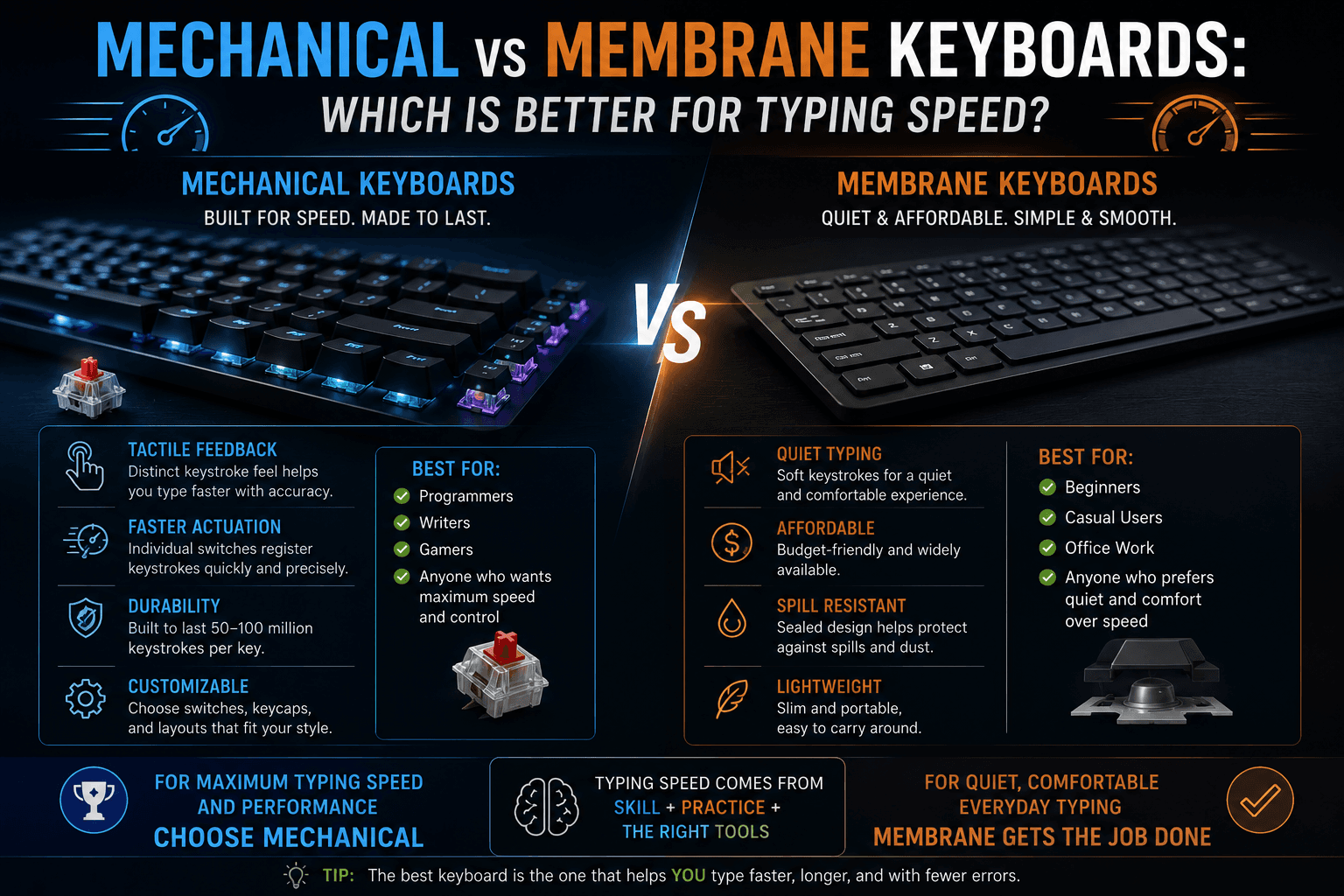
Membrane keyboards use a thin rubber or silicone layer beneath each key. When a key is pressed, it deforms the membrane and completes an electrical circuit at the bottom of the key travel. The entire keystroke happens in one stage — there is no separate 'actuation point' partway through the press. This makes membrane keyboards quiet, spill-resistant, and inexpensive to manufacture, which is why they are standard equipment on most laptops and budget desktop keyboards.
Mechanical keyboards use an individual electromechanical switch beneath each key, most commonly from the Cherry MX family or Kailh equivalents. Each switch has a stem, a spring, and (in clicky variants) a tactile leaf. The switch can be engineered to actuate at a specific point in the keystroke — typically halfway down — meaning the key registers before it bottoms out. This predictable actuation point is the primary reason mechanical keyboards are associated with faster, more consistent typing.
Switch types and their effect on typing
Linear switches (Cherry MX Red, Speed Silver, Kailh Red) have a smooth, consistent resistance from top to bottom with no tactile bump or click. They are popular for gaming because of fast double-actuation but are favoured by some typists who prefer a fluid, low-resistance stroke. Tactile switches (Cherry MX Brown, Topre) provide a noticeable bump at the actuation point without an audible click. This tactile feedback lets your fingers sense when a keystroke has registered, reducing the tendency to bottom out unnecessarily.
Clicky switches (Cherry MX Blue, Kailh Box White) add an audible click at the actuation point in addition to the tactile bump. The sound serves as auditory feedback confirming the registration. Many typists find that clicky switches improve their accuracy because the multi-sensory feedback (tactile + auditory) makes missed or unintended keystrokes immediately obvious. The noise is a drawback in shared workspaces.
Does a mechanical keyboard actually make you faster?
Controlled studies on keyboard type and typing speed show that the effect size is moderate and highly individual. A 2019 ergonomics study found that typists on mechanical keyboards showed an average improvement of 4–8 WPM compared to their membrane baseline after adaptation, primarily attributed to the tactile feedback and reduced bottoming-out. However, the study also showed that typists who had used membrane keyboards exclusively for years showed a temporary speed decrease when switching to mechanical — suggesting adaptation time is required.
For most typists who have used membrane keyboards for years, the switching effect is small unless they invest two to four weeks in adapting to the new feel. The more meaningful factor is that mechanical keyboards tend to be more comfortable for extended sessions, which allows longer practice periods without fatigue — indirectly supporting higher skill development over time rather than providing an immediate speed jump.
Actuation force and typing fatigue
Actuation force — the force required to register a keystroke — varies between switch types and matters more than most beginners realize. Cherry MX Red switches actuate at 45 grams of force. Cherry MX Blue at 50 grams. Topre switches are available at 35, 45, and 55 gram variants. Heavier switches (Cherry MX Black at 60 grams, Green at 80 grams) require more force per keystroke — which can increase fatigue during long sessions but reduces accidental keypresses.
For sustained high-volume typing (professional data entry, transcription, heavy writing workloads), lighter to medium-weight switches (35–50g) reduce cumulative finger and forearm strain. Heavier switches can feel satisfying in short sessions but become fatiguing over hours. If you have or are at risk for repetitive strain injury, a lighter switch weight and a keyboard with good ergonomic design (tenting, negative tilt) may be more important than the tactile or clicky experience.
The case for membrane and laptop keyboards
Membrane keyboards are not inherently inferior for typing. Many professional typists achieve speeds above 80 WPM on standard membrane keyboards. The skill, technique, and practice habits matter far more than the keyboard type for the vast majority of typists below 100 WPM. The major advantages of membrane keyboards are their lower noise level, lower cost, greater portability, and spill resistance — all of which are practical priorities for many office and student environments.
If you are deciding whether to buy a mechanical keyboard, ask yourself whether the limiting factor on your current typing speed is actually the keyboard feel. If your accuracy or technique is the bottleneck, a new keyboard will not address those issues. If you type comfortably for hours on your current keyboard with no fatigue or discomfort, and your WPM is growing steadily with practice, there is no strong case for switching.
Recommendations by use case
For high-volume professional typing (transcription, data entry, writing): A mid-range mechanical keyboard with tactile switches (MX Brown, Topre, or equivalent) is a worthwhile investment if you type more than four hours per day. The improved feedback and comfort compound over time into fewer errors and less fatigue. For office work, students, and moderate use: A quality membrane keyboard or laptop keyboard is perfectly adequate. Invest practice time rather than hardware budget for the biggest speed improvements.
For shared or quiet workspaces: Linear or tactile mechanical switches (not clicky) maintain most of the mechanical keyboard benefit while keeping noise at acceptable levels. Desk mat and foam dampeners can further reduce sound. For portable use: Compact mechanical keyboards (60%, 65%, or 75% layout) balance the mechanical keyboard experience with portability. Prioritize build quality and keycap stability — wobbly keys are a tactile distraction during fast typing.
Put it into practice
Take a free typing test and see your WPM right now.
Comments
Sign in to leave a comment.